Pocket ID is now on the App Store as well as Google Play. Same app, same vault, same countdown telling you your licence expires sooner than you thought.
It went to Android first, which is how most of our releases will go — the loop is faster, and the first week after a launch is when you find the bugs your testers were too polite to mention. iOS followed once that week was quiet.
What is in it
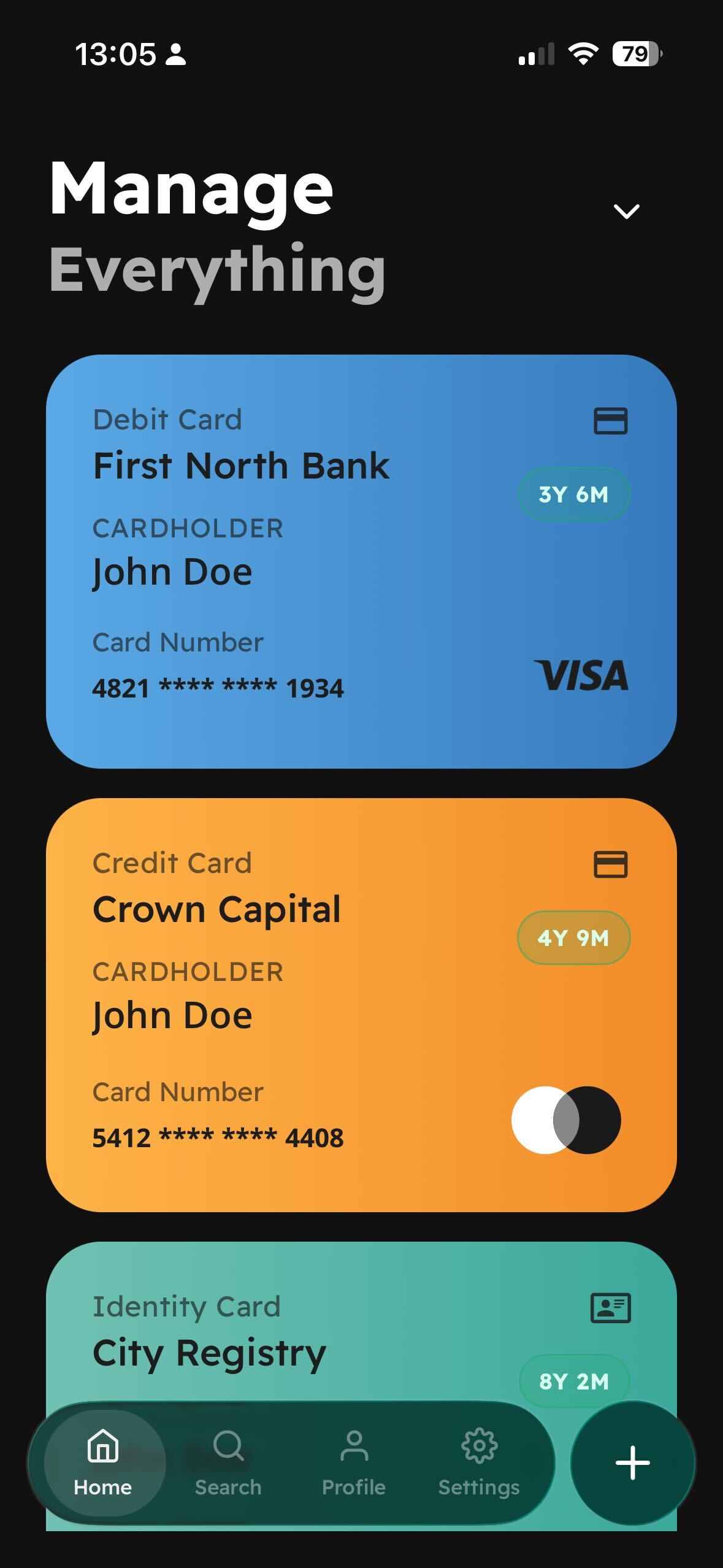
- Every document in one place — IDs, bank cards, certificates, insurance, contracts — organised rather than scattered through a camera roll.
- An expiry countdown on every card, which is what people actually open the app for.
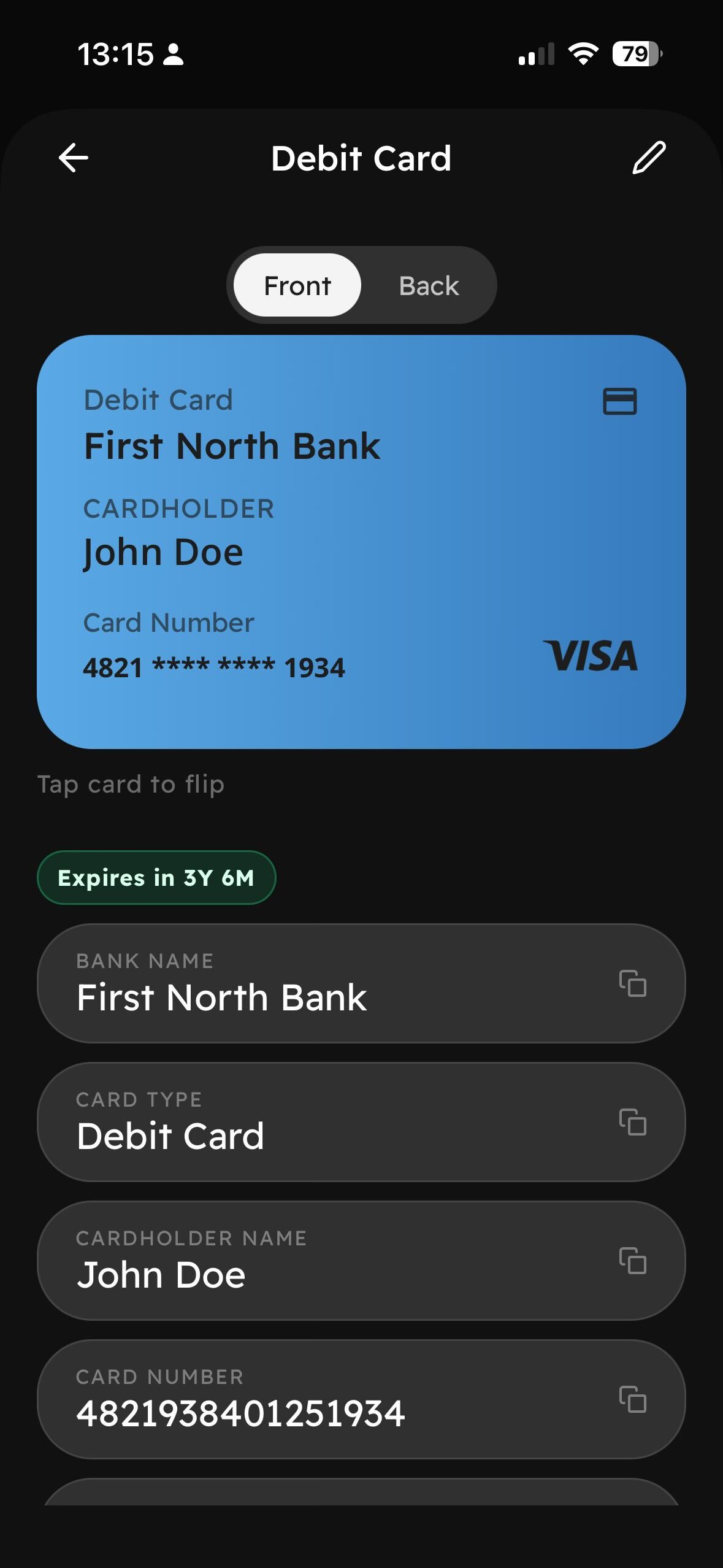
- Front and back. Tap the card to flip it, because the number you need is usually on the side you did not photograph.
- Copy any field without leaving the screen.
- Search, for when the vault stops being small.
- One-tap sign-in with Google and Apple.
About the rejection
The iOS submission bounced once, and the reviewer's question was a good one: why does a document storage app want the camera?
The answer is obvious to us — that is how a document gets into the vault — but it was not obvious from our permission prompt, which said something like “Pocket ID needs camera access”. That tells a user nothing except that an app holding their passport wants to see through their lens.
We rewrote the prompt to say what it is for and when it is used, resubmitted, and it went through. It is the sort of note we would rather get from a reviewer than from a user who has already uninstalled.
Where your documents are
On your phone. Cloud sync exists and is off until you turn it on. That decision came out of beta, and we have not been tempted to revisit it once.