Pocket ID went out to its first group of testers this month. We expected notes about encryption and sync. We got notes about dates.
The build we handed over did the obvious thing well: put your documents in, they are encrypted, they are organised, they are searchable, and nothing leaves the device unless you say so. Feedback on that was polite and short, which in beta testing is a bad sign — it means people used the feature once and moved on.
What they actually kept opening the app for was to find out whether something had expired.
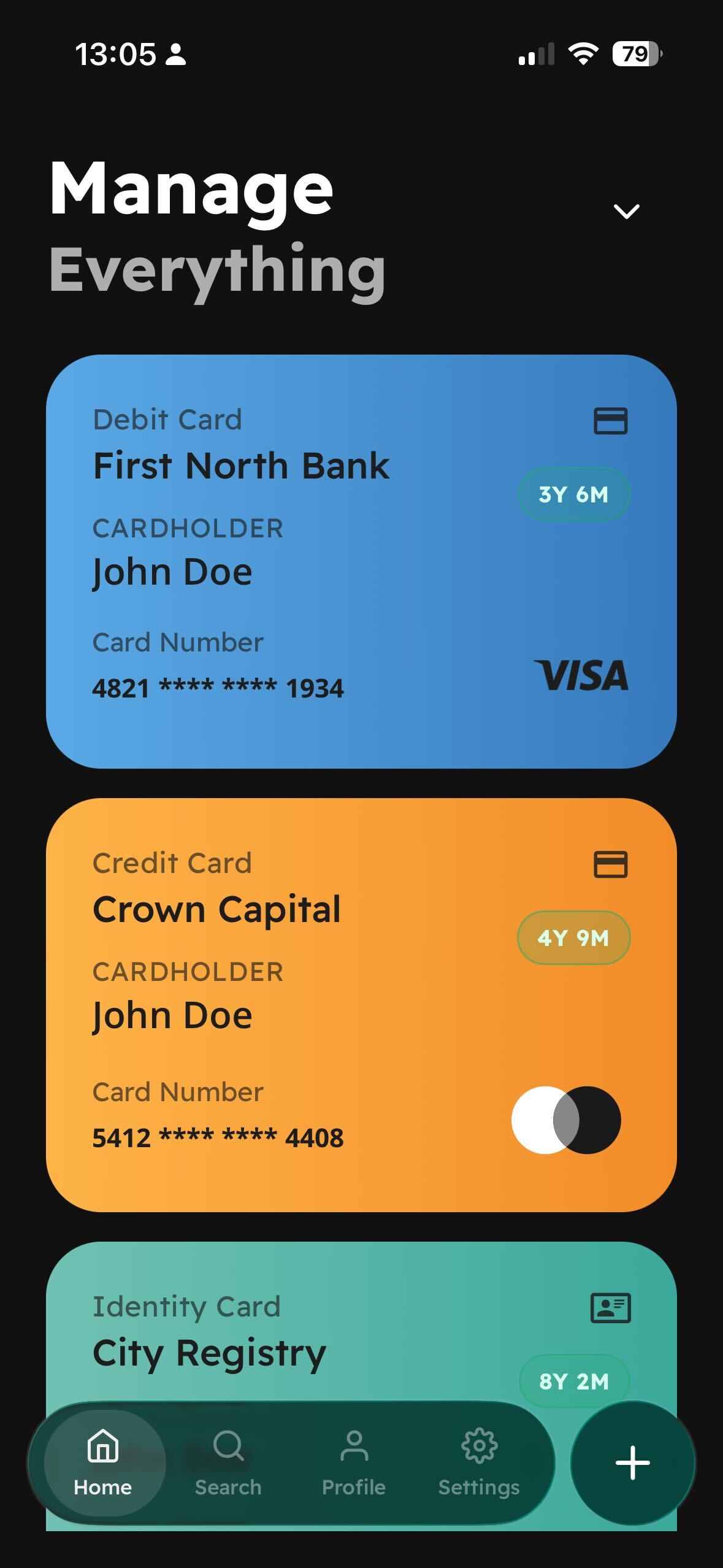
The countdown became the headline
In the first build, the expiry date was a field like any other, sitting in a list. One tester said, more or less: “I don't want to read a date and do the maths, I want the app to tell me I have got three years and six months.”
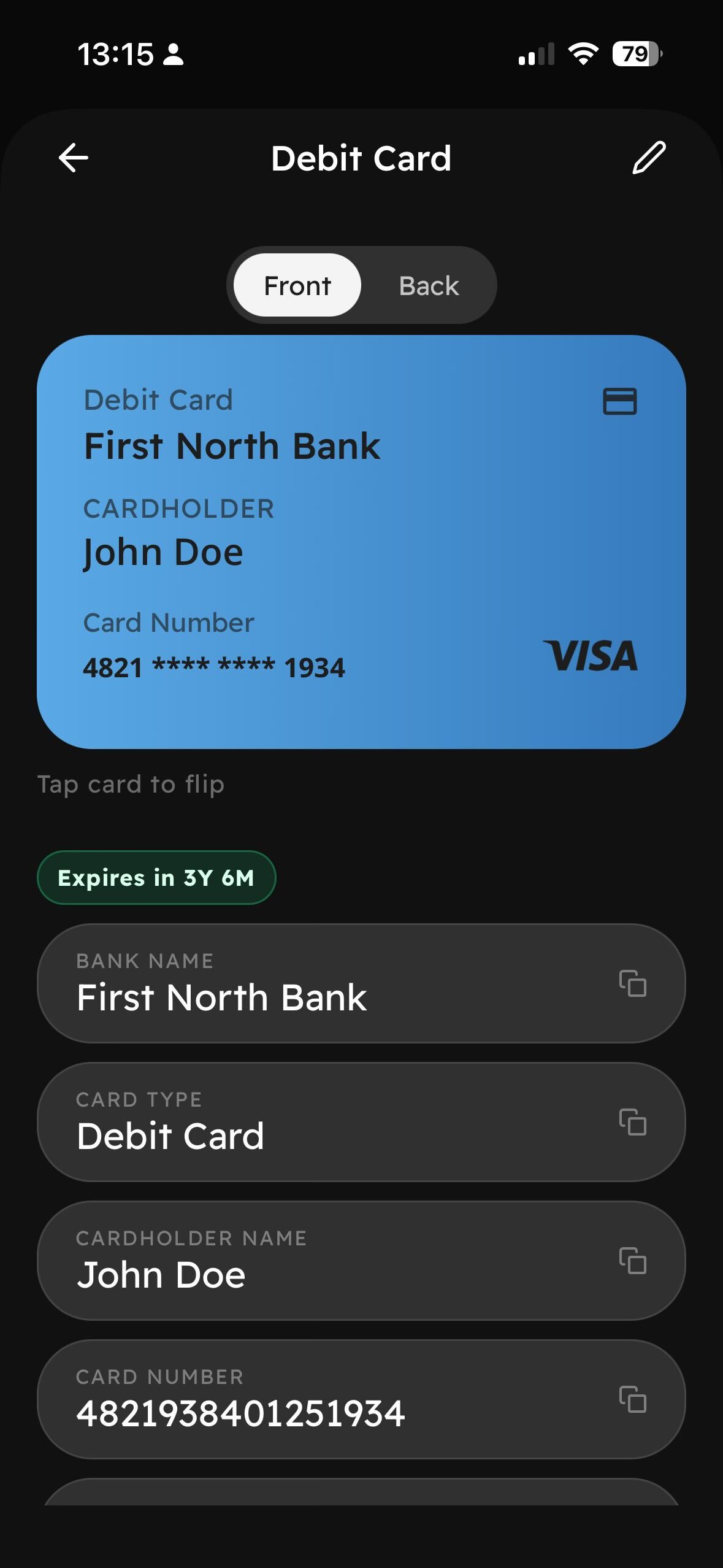
So now every card carries a live countdown on its face — 3Y 6M — and it changes colour as the date approaches. It is the smallest change we made during beta and it is the one people mention.
Tap to flip
The second most common note: people photograph both sides of a card, because the useful number is often on the back. We were storing one image per document. Now a card flips — front and back, one tap — because that is how the physical object works, and the app should not be cleverer than the thing it replaces.
Copy everything
The single most requested feature was a copy button. Not a fancy one. People pull up Pocket ID while filling in a form somewhere else, and they need the card number, the policy reference, the document ID. Every field now has a copy control next to it. Boring. Used constantly.
What we took out
Cloud sync was on by default in the first build. It is now off by default and opt-in. Two testers, independently, asked a version of the same question: “where is this going?” When people ask that about a folder full of identity documents, the correct answer is nowhere, unless you switch it on.
Next stop is the stores. The Android build goes first.